
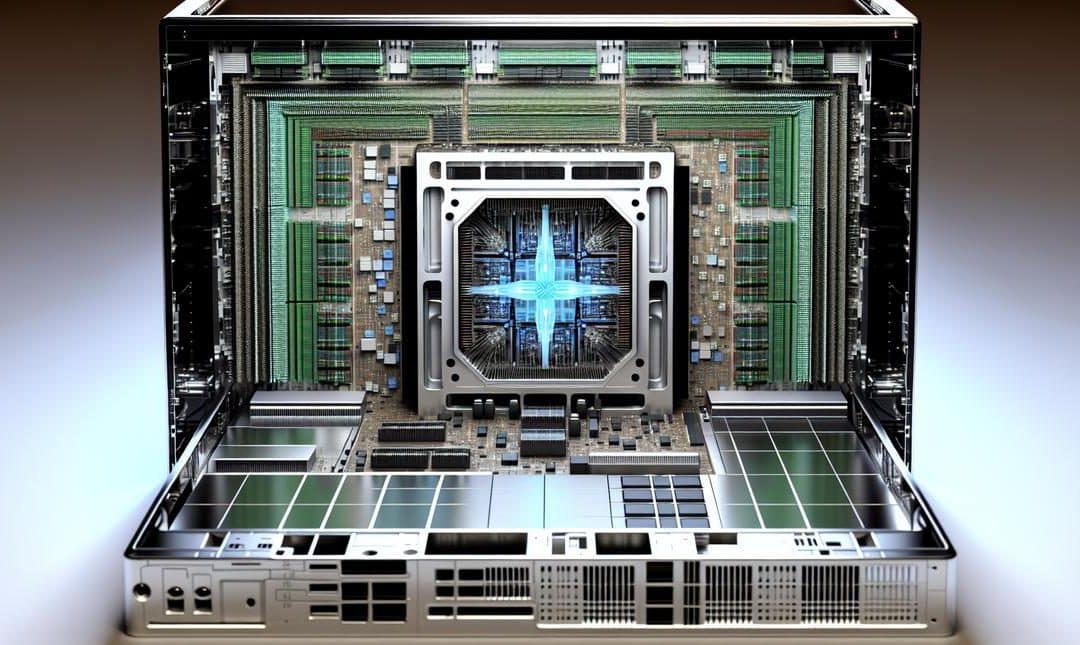
As AI continues to shape the technological landscape, understanding the role of Neural Processing Units (NPUs) in PCs becomes crucial. NPUs optimize generative workloads, offering businesses streamlined operations and cost savings. Discover how these specs can transform the way you harness AI for creative and operational benefits, ensuring you stay ahead of the competition.
What Are NPUs and Why They Matter
NPUs are specialised processors for neural networks.
They sit alongside your CPU and GPU, but they do a different job. A CPU handles varied, branching tasks. A GPU excels at huge batches of similar maths. An NPU focuses on the building blocks of AI models, the tensor operations that power attention, convolution, and the layers in between.
Where this matters is generative work. Text generation, image synthesis, super resolution, and rapid upscaling all lean on repeated matrix multiplications. NPUs execute those patterns at high throughput and low power, so your battery lasts longer, your fans stay quieter, and your response times feel snappy. Privacy also improves, because more work can stay on the device. If you are weighing local against cloud, this explainer on local vs cloud LLMs on laptop, phone and edge sets the scene well.
What makes an NPU suitable here is its architecture. Inside, you will find arrays designed for INT8, INT4, and BF16 maths. There is often on chip SRAM that keeps weights and activations close to the compute units, cutting trips to system memory. Data flows in tiles, scheduled by a hardware controller that moves tensors with dedicated DMA engines. Less overhead, fewer stalls, more usable throughput. I tested a recent AI laptop and noticed token generation felt steady, not bursty.
Generative apps love that steadiness. Writers see faster drafting and summarising. Coders get real time suggestions. Creators push images through denoise, background removal, and style transfer without the battery penalty. Even voice gets a lift, with live transcription and translation running locally. If you dabble in art models, Stable Diffusion will often run better when the NPU handles the heavy kernels. Not perfect, perhaps, but noticeably more consistent.
Specs tell part of the story. TOPS numbers hint at peak math rate, though peak is not constant. Look for INT8 TOPS and sustained power at the wall. Check on chip memory size, supported precisions, and whether the NPU accelerates attention, not just convolution. Software support matters too, since ONNX, DirectML, or vendor runtimes decide how well your model maps to the silicon.
You will see where this leads next. Moving everyday AI from the cloud into your PC changes cost, speed, and control, and I think it changes how teams work. We will get into that shortly.
Leveraging NPUs for Business Efficiency
NPUs turn routine work into repeatable, machine handled processes.
They sit beside your existing stack and quietly do the heavy lifting. When the workload stays local, latency drops, and data stays on your device. That means quicker responses, lower cloud tokens, and fewer privacy headaches. I have seen the difference on a sales desk, people notice it on day one.
Where do NPUs fit, practically. Start with tasks that are high volume and predictable. Think transcription, redaction, content clean up, product tagging, insight summaries for managers who do not have time. Then plug those outputs into the tools you already use. CRMs, helpdesk platforms, finance apps. No rip and replace. Just a smarter loop.
Our shop builds NPU aware automations that run on AI PCs. They watch for triggers, process content locally, then push structured results to the right system. It sounds small, but it compounds. Less waiting, fewer clicks, fewer monthly seats you barely use.
Here are a few examples that clients keep asking for:
- Meeting capture and coaching, on device transcription, topic extraction, and suggested actions, then auto filed to the CRM. We drew on ideas similar to on device whisperers building private low latency voice AI that works offline, and it cuts wrap up time by half.
- Invoice sorting, local vision models read totals, dates, and suppliers, flag anomalies, and queue draft bills. Finance teams tell me it saves one to two hours a day.
- Customer email triage, the NPU classifies intent, drafts replies, and routes to the right queue. First response times improve, costs do not spiral with usage.
- Product content refresh, batch rewrite descriptions, generate alt text, and propose keywords, all on the laptop. Fewer external tools, fewer data leaks, better control.
Set up is straightforward, perhaps easier than you expect. We map the workflow, choose a local model that fits the NPU budget, then wire the handoffs. Sometimes we keep a small cloud step, sometimes we do not. It depends, and I think that flexibility is the point.
The business case is plain. You reduce manual touch points, you shorten cycle time, you cut variable bills linked to tokens and API calls. Staff feel the lift as drudgery drops, even if they might not say it out loud.
One caveat, start small. Prove the win on a single process, then scale. It is tempting to chase everything at once, I have made that mistake too.
Future-Proof Your Operations with NPUs
Future proofing starts with your hardware.
Your next wave of wins will come from NPUs that keep pace with rising model demands, not from bigger ad budgets. The trick is choosing specs that hold their ground as models get smarter, larger and fussier. I have seen teams buy on hype, then stall when workloads move from simple text to video and multimodal. It feels small at first, then it bites.
Here is what matters for everyday generative work, and for staying ahead next quarter, not just next week. TOPS gives you a headline, but look for sustained TOPS at realistic power. Precision support like INT8, FP16 or BF16 decides both speed and quality. On‑chip memory and bandwidth cut bottlenecks, especially for image and audio chains. Concurrency lets you run chat, summarisation and vision side by side without queueing. Driver and SDK maturity decide whether your stack runs smoothly or spends days in dependency limbo. And yes, thermals, because throttling after ten minutes ruins any demo.
Going local is more than speed. It is control. You reduce exposure to API limits, surprise rate caps and messy data trails. If you are weighing your options, this breakdown helps, Local vs cloud LLMs, laptop, phone, edge. I think on‑device wins more often than it loses for day to day use, though there are edge cases.
Pick machines built for this shift. One example is Microsoft Copilot+ PCs, which pair a capable NPU with a system stack that is actually catching up to real workloads. Mentioning once is enough, because the point is the spec, not the badge.
Make this practical with a simple short list:
- At least 40 NPU TOPS, measured sustained, not burst.
- INT8 and FP16 support, with sparsity for extra headroom.
- 16 GB RAM minimum, fast SSD for swapping model builds.
- ONNX Runtime and DirectML support, vendor SDKs kept current.
- Thermals that stay quiet and avoid throttling in long sessions.
- Firmware cadence that is published, not promised.
You do not need to do this alone. A peer group shortcuts the trial and error. Share prompt packs, quantised model sets, even odd bugs. The compounding here is real, perhaps more than you expect.
If you want this tailored to your workflows, get a plan, not another tool. Ask for custom automations mapped to your NPU roadmap. Contact Alex and see how to thread NPUs through your daily ops without the usual drama.
Final words
Understanding and leveraging NPU specs in AI PCs offer businesses a pathway to enhanced efficiency, cost savings, and innovation. By integrating these advanced tools, companies can streamline operations and stay competitive. Engage with experts and use tailored solutions to harness the full potential of NPUs today.